
M-Pesa Payment Collections for PAYG Solar Businesses
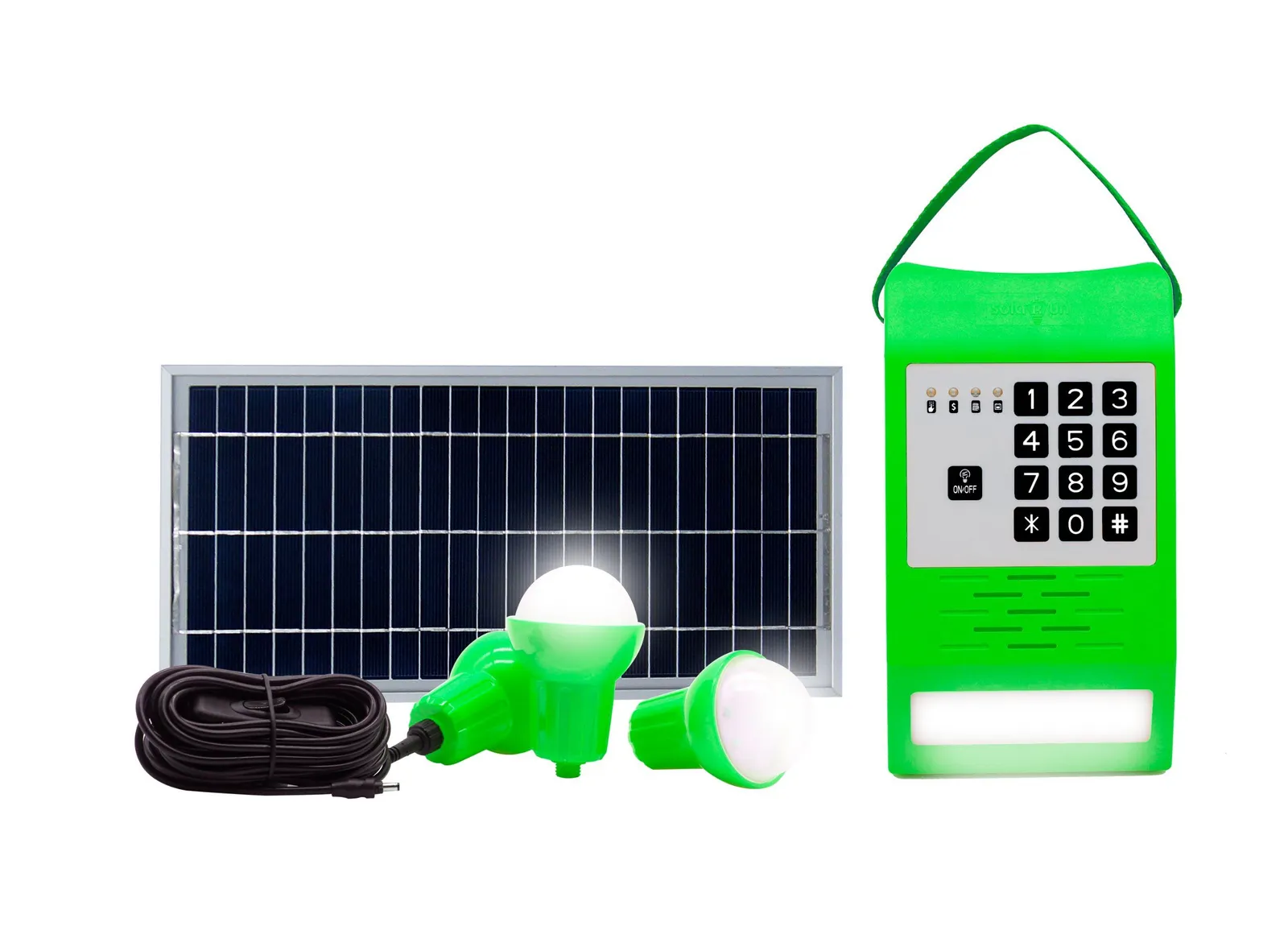
Pay-as-you-go solar has changed how households and small businesses get power. A customer takes a solar kit with a small deposit, then pays in daily or weekly instalments until the device is theirs. The model only works if those instalments arrive reliably. Each missed payment is a customer without power, a support call, and a gap in the company’s cash flow.
This article covers how M-Pesa payment collections fit into a PAYG solar business: how the instalment cycle works, how the STK Push collects each payment, how the device side responds when a payment lands, and where operators usually lose money. It’s written for PAYG solar companies, energy access operators, and the teams that manage their customer payments.
Why PAYG solar depends on frequent, small payments
A traditional solar sale asks for the full price up front, which most households can’t afford. PAYG spreads the cost over months, and the instalments are often small, sometimes the price of a few litres of fuel or a daily meal. That makes M-Pesa a natural fit, because most customers already use it for small everyday payments.
The same feature creates a collection challenge. A customer who pays a small amount every day or week needs a payment process that is quick, clear, and repeated many times. A process that works once a month can fail badly when it runs every few days.
The instalment cycle
Every PAYG customer follows a cycle with four parts:
- Instalment due: the day or week a payment is expected, based on the customer’s plan.
- Reminder: a message sent before the payment is due, with the amount and how to pay.
- Payment: the customer pays through M-Pesa, usually by approving a payment prompt on their phone.
- Access period: the device stays active for the period paid, and the cycle starts again.
The period a customer has paid for needs to be clear to both sides. If a customer pays for seven days, the device should cover seven days, and the customer should know when the next payment is due.
How the STK Push collects each instalment
The M-Pesa STK Push is a one-time payment prompt. When your system asks for a payment, the customer’s phone shows the amount and the payee, and asks for their M-Pesa PIN. Once the customer approves, the payment is processed.
Each instalment needs its own prompt. A customer who pays on Monday and again on Tuesday approves two separate payments. Nothing is charged on a schedule without the customer’s approval on their phone.
For PAYG collections, this has two practical effects:
- No typing of account numbers. Customers don’t need to remember a Paybill reference or enter an account number, which removes a common cause of unmatched payments.
- Clear consent for each payment. The customer sees the amount and approves it every time, which helps with trust and with disputes.
Your system sends the prompt when the customer chooses to pay, or when a reminder is answered. The reference sent with each request should identify the customer and the instalment, so the payment can be matched correctly when it arrives. For a fuller comparison of the two M-Pesa methods, read M-Pesa Paybill vs STK Push.
What happens when a payment lands
When a payment is complete, IntaSend sends a webhook to your system. A webhook is a message to an address you control, confirming that the payment’s state has changed. Your system should act only when the payment is complete, and check that the amount and reference match the expected instalment.
Once confirmed, your system updates the customer’s record: the amount paid, the period covered, and the date the next payment is due. The device side then responds. For a PAYG solar product, that usually means the device is credited or unlocked for the period paid.
The exact way a device is unlocked depends on the hardware and firmware your company uses. IntaSend’s role is to confirm the payment and tell your system about it. Your device platform decides how access is switched on. Keep those two steps separate in your process, so a problem on one side is easy to find. Our guide to mobile payment integration for IoT in Kenya covers this split, including devices that are offline when the payment lands.
Webhooks can arrive more than once, and not always in order. Your handling should be safe to repeat: the same payment should never extend the access period twice.
Why daily and weekly collections need a different routine
Monthly collections give a company time to catch up. Daily and weekly collections don’t. A few changes make a large difference:
- Send reminders at a consistent time. A morning reminder for an evening payment, or one set at the time the customer usually pays, works better than random timing.
- Keep the amount the same. A customer who sees the same amount each time is more likely to pay without checking.
- Make the next due date visible. A short message after each payment that says what was paid and when the next instalment is due reduces missed payments.
- Plan for weekends and holidays. If customers are paid on a particular day, make sure the reminders and the payment routine still work on those days.
Track the share of customers who pay on time each week. A drop in that number usually shows up before the monthly figures move, so it gives you time to act.
Where PAYG solar operators lose money
Most losses in PAYG collections come from a few predictable places.
Late or missed instalments. A customer who misses one payment may be disconnected, or may simply fall behind. Decide in advance how many days of grace you allow, and be consistent about it.
Payments that don’t match the customer. A payment from a family member’s phone, or an amount that doesn’t match the plan, can leave a customer unmatched and their device off. Test how your system handles these cases before launch.
Access that doesn’t match the payment. If the device stays on after a missed payment, the company pays for the gap. If it stays off after a payment, the customer loses trust. Both need a clear rule and a fast fix.
Reconciliation gaps. When the sales record and the M-Pesa record don’t match, the difference is often a payment that was confirmed but never recorded, or recorded twice. A daily reconciliation catches these early.
Default that builds quietly. A customer who owes for several cycles is harder to recover the longer they wait. Watch the balance carried forward and act on accounts that fall behind.
Set a daily reconciliation routine
A simple daily routine protects the business. Each day, compare the instalments recorded in your system with the M-Pesa record for the same period. Note any payment that is confirmed but not matched, any customer who paid twice, and any device that didn’t activate after payment.
Measure a few numbers each week:
- On-time rate: the share of customers who paid their instalment when it was due.
- Late rate: the share who paid within your grace period.
- Default rate: the share who fell behind beyond the grace period.
- Balance carried forward: the total owed at the end of the week.
Use your own figures to set targets. Benchmarks from other markets or products are a weak guide, because customer income, instalment size, and device type all change the picture.
Handle customer questions clearly
PAYG customers often ask the same few questions: how much they’ve paid, when the next instalment is due, and why the device stopped. Give them an easy answer. A short message after each payment, and a way to check the balance, reduces calls to your support team.
When a payment is confirmed but the device hasn’t switched on, tell the customer what you’re checking and when they can expect an answer. A clear message is far better than silence, which often leads to a second payment for the same instalment.
Where IntaSend fits
IntaSend provides the mobile money collection layer for PAYG solar businesses. The STK Push collects each instalment on M-Pesa, the webhook confirms the payment to your system, and split payments can divide revenue between parties, such as a financing partner, an installer, or a local agent, when that arrangement applies to your business.
Your plans, instalment amounts, grace periods, device platform, and customer service stay with your business. IntaSend confirms the payment and gives your system the information it needs to act. For how PAYG solar fits alongside electricity and gas metering, see smart meter billing in Kenya.
To see which payment rails are live in each market, check the IntaSend coverage page. If you run a PAYG solar business and want to talk through how daily or weekly collections could work for your customers, speak to the IntaSend team. You can also reach us on WhatsApp at +254 711 082 947, by email at [email protected], or by phone at +254 114 114 644.
Banking services provided by licensed partners.