
Best Cashless Payment for Vending Machines: A Solution for Local Businesses
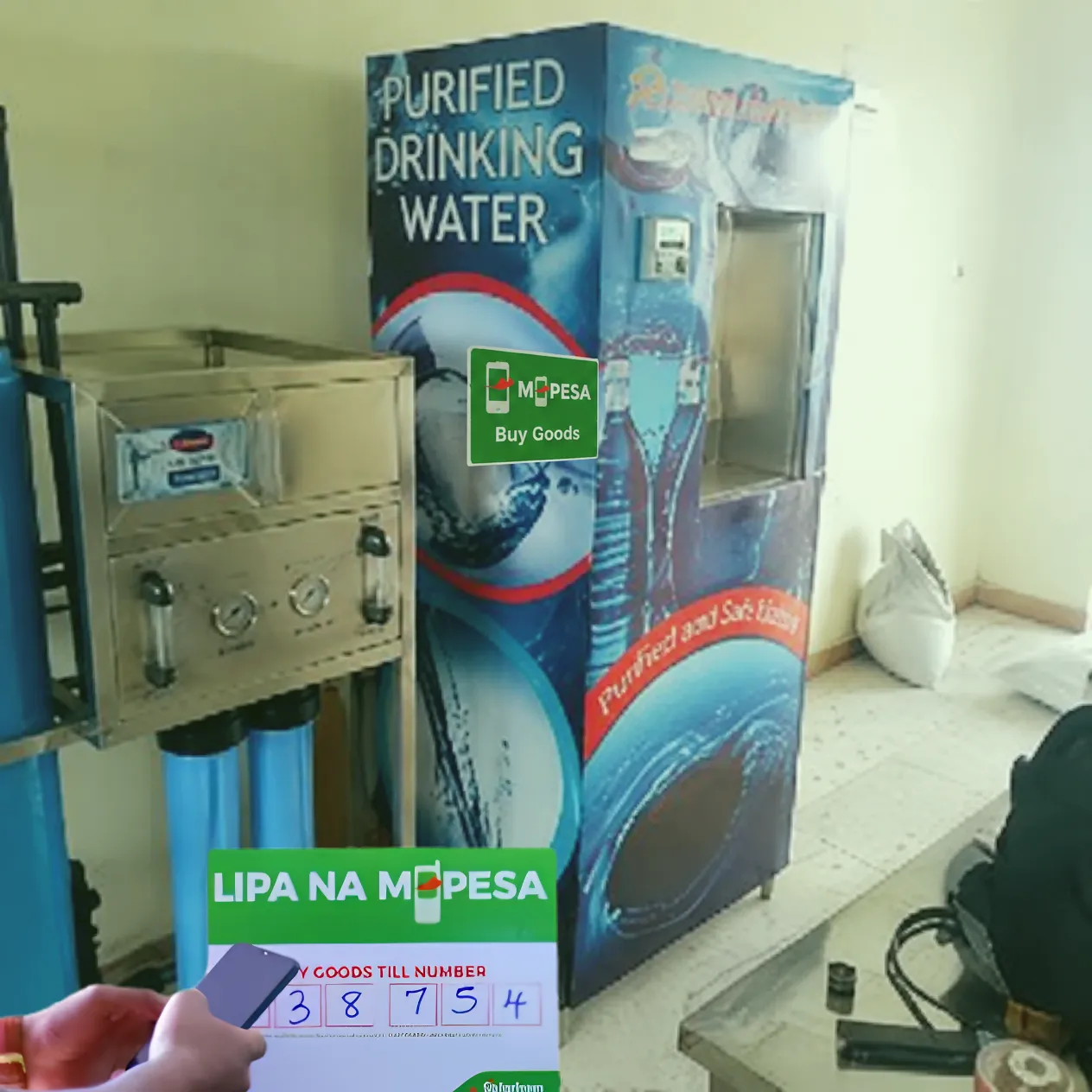
A local business that adds a vending machine usually starts with a simple question: how do customers pay? Cash works until the machine needs emptying, the float runs short, or the takings go missing between the machine and the bank. Cards are rarely practical for a snack or a drink. Mobile money fits the size of most vending purchases, which is why it has become the default choice for many operators in Kenya and across East Africa.
There’s no single “best” cashless payment for vending machines. The right choice depends on where the machine stands, who uses it, what it sells, and how much support the owner can give. This guide sets out the criteria that matter for a local business, explains how a mobile money solution works at the machine, and shows what to check before committing. It’s written for vending operators, shop owners, and small businesses placing their first machines.
Why cashless matters for a local vending business
Cash-based vending creates three recurring problems. The machine needs a person to visit and count it. The takings are easy to lose or misreport. And the owner has little visibility into what sold, when, and where.
A cashless machine changes all three. Each sale produces a payment record, so the owner can see sales by item, by hour, and by day without opening the machine. Restocking can follow actual demand. And the cash handling risk moves from the machine to a payment record that can be checked against a statement.
For a local business, this matters most when the machine sits away from the owner’s main premises. A machine at a bus stop, a school, or an estate gate is only useful if the owner can trust its numbers from a distance.
What “best” should mean for your business
Before comparing options, decide what the machine has to do. Five questions help:
- Who are the customers? If most carry a smartphone and use M-Pesa, a mobile money prompt will serve them well. If they use another network, the solution must cover that network too.
- What is the typical sale? Snacks and drinks are low value and quick. The payment step must be fast, or customers walk away.
- How often will the owner visit? A machine visited weekly needs clear daily records. A machine visited monthly needs reliable remote reporting.
- What hardware does the machine run? The payment solution must work with the machine’s control system, or someone must build the link between them.
- Who answers when something breaks? Support hours and the ability to resolve a failed sale matter more than most features on a sales sheet.
A solution that answers these questions well is a better fit for a local business than one with a longer feature list that doesn’t.
How a mobile money sale works at the machine
A cashless vending sale follows a clear sequence:
- The customer selects an item on the machine’s screen or a linked menu.
- The system requests a payment for the item’s price, sending the customer’s mobile money number and a reference for that sale.
- The customer approves the prompt on their phone with their PIN.
- The machine dispenses once the payment is confirmed, and the sale is recorded.
The M-Pesa STK Push is a one-time payment prompt. Each sale sends its own prompt, and nothing is charged without the customer approving it on their phone. There’s no stored balance and no recurring charge, which keeps each purchase clear for the customer.
The important step is the fourth. The machine should dispense on a confirmed payment, not on the prompt being approved on a phone. A prompt approved on a phone is not the same as money received, and dispensing on the prompt alone is how vending businesses lose product.
For the networks that are live in each market, check the IntaSend coverage page before promising a payment method at the machine. If your customers use more than one network, our guide to M2M payments across M-Pesa, Airtel Money and MTN explains how to plan for each one.
What the machine needs from the payment system
Whatever solution you choose, the machine needs four things from it:
- A confirmed payment signal that tells the machine a sale is complete and for what amount.
- A reference that links each payment to one machine, one item, and one sale attempt.
- A clear failure state for cancelled prompts, unreachable phones, and timeouts, so the machine can tell the customer what happened.
- Safe repetition. A repeated confirmation for the same sale must never dispense a second item.
If a solution can’t provide these, the machine will either dispense without payment or leave paying customers with nothing. Ask any provider to show how each of the four works before you sign. For the technical side of connecting hardware to these signals, see our practical guide to mobile payment integration for IoT in Kenya.
Keep prices and stock in one place
Two problems cause more trouble than any other in automated vending: prices that differ between the display and the payment, and stock that runs out during a sale.
Keep the item list and prices in one record, and make sure both the screen and the payment request read from it. A customer who sees one price and pays another will complain, and the complaint is hard to resolve without a clear record.
Check stock before requesting payment. A customer should never be charged for an item the machine can’t release. If stock runs out between the request and the confirmation, the machine should refuse the dispense and trigger a clear refund process.
Handle the failures customers actually see
Most failed vending payments fall into three groups:
- The customer cancels the prompt. No money has moved. The machine should say the payment was cancelled and let the customer try again without starting a new selection.
- The phone can’t be reached. The phone may be off, out of signal, or on the wrong number. The machine should suggest checking the phone and retrying.
- The prompt times out. The machine should show a clear message and return to its start screen, so the next customer isn’t stuck on a payment screen.
The rule for every case is the same: a customer who has not paid receives nothing, and a customer who has paid receives exactly one item. If the payment is confirmed and the machine doesn’t respond, flag the sale for a person to check, and don’t ask the customer to pay again.
Reconcile daily, even when cash is gone
Cashless doesn’t remove the need for reconciliation. It makes reconciliation faster and more precise. A simple daily routine works well for a local business:
- Compare each machine’s sales count with its confirmed payments.
- Total the amount collected per machine and per network.
- List any confirmed payment with no dispense, and any dispense with no matching payment.
- Note machines with repeated failures, which may point to a fault, weak signal, or a stock problem.
Over a month, the same record shows which items sell best, which sites are busiest, and where machines run out of stock first. For many local operators, that information is worth more than the payment data itself.
Local business checks before you commit
Ask every provider these questions, and expect clear answers:
- Which mobile money networks are live in my market for this type of prompt?
- How does a confirmed payment reach the machine, and what happens if the machine doesn’t respond?
- How are failed and cancelled payments reported?
- Can I see the sales report for one machine, by item and by day?
- Who answers my questions, and what are the support hours?
- Can I export my sales and payment records if I change provider later?
Vague answers to these questions are worth noting. A cheaper solution that leaves you reconciling by hand can cost more than a dearer one that reconciles itself.
Splitting revenue with a site owner
Many vending machines sit on someone else’s premises. A shop, school, or estate may host the machine in return for a share of sales. When that arrangement applies, the split can be set up on the payment rather than settled by hand each month.
IntaSend’s split payments infrastructure can divide a single customer payment between parties according to rules you set. Each share is allocated when the payment clears, and each executed split appears as its own transfer, so the host and the operator see the same record. Agree the percentages and the clearing period in writing before the machine goes live.
Where IntaSend fits
IntaSend provides the mobile money collection layer for vending operators across Kenya, Uganda, Tanzania, Rwanda and the DRC, using one integration where IntaSend is live. Each sale is collected through an STK Push prompt, and the confirmation is sent to your system so the machine can respond. The item list, pricing, stock, dispensing logic, and machine hardware stay with your business and your equipment platform.
If you run or plan local vending machines and want to talk through the setup, speak to the IntaSend team. You can also reach us on WhatsApp at +254 711 082 947, by email at [email protected], or by phone at +254 114 114 644.