M-Pesa Paybill vs STK Push for ISPs
Sep 21, 2026
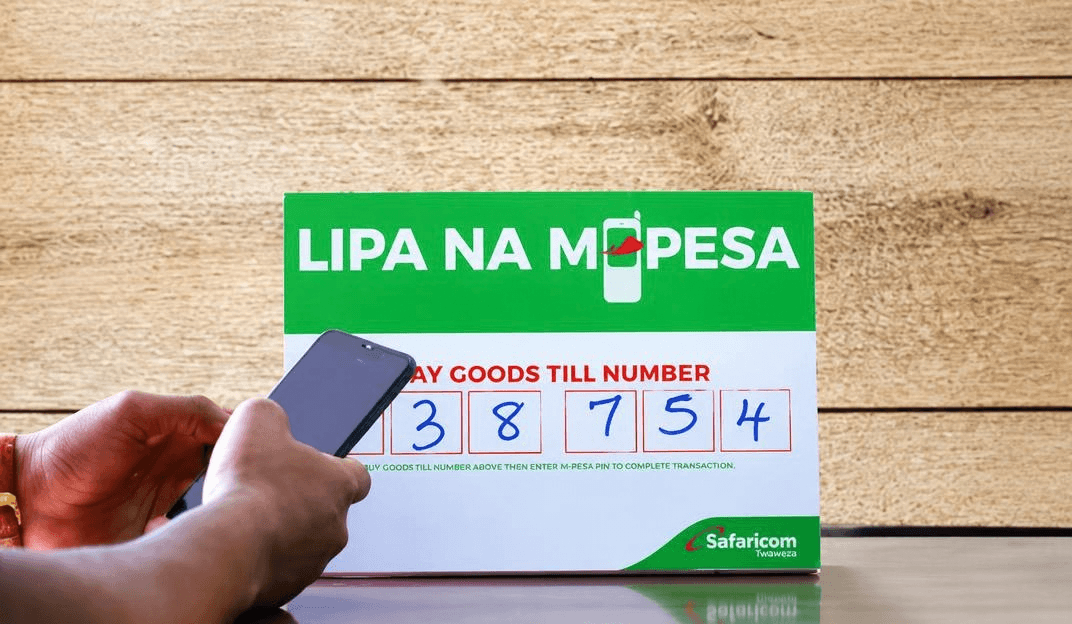
Which Payment Method Should You Use?
ISPs in Kenya have two main ways to collect M-Pesa payments: Paybill (where customers manually enter details) and STK Push (where payment prompts appear automatically on their phones). Both work. Both collect money. But they're fundamentally different—and choosing the wrong one costs you thousands monthly in failed payments and late collections. This guide breaks down both methods so you can decide which fits your ISP.
The Problem: Why This Decision Matters
You need to collect monthly payments from 200+ customers via M-Pesa. You have two options:
Option 1: Ask customers to manually enter your Paybill number. They open M-Pesa, navigate to "Pay to Paybill," type your number, type the amount, type their PIN. Eight steps. Room for error at each step.
Option 2: Send an automatic payment prompt to their phone. M-Pesa prompt appears automatically. They see the exact amount. They enter their PIN. Done. Two steps. No room for error.
Which method gets more customers to actually complete payment?
The answer determines your cash flow, your bad debt rate, and how much time you spend chasing overdue accounts.
M-Pesa Paybill: The Traditional Method
What it is: A merchant code (like 123456) that customers use to send money to your M-Pesa account. Customers manually enter this number into their M-Pesa app.
How customers pay:
Open M-Pesa
Select "Lipa na M-Pesa Online"
Choose "Pay to Paybill"
Enter Paybill number (e.g., 123456)
Enter account number or reference (your invoice number or account ID)
Enter amount
Enter PIN
Confirm
How ISPs collect:
You publish your Paybill number on your website, in customer emails, on invoices
You send SMS/WhatsApp reminders with the Paybill number: "Pay KES 3,000 to Paybill 123456, Account: [CustomerID]"
Customer manually enters details
Money arrives in your M-Pesa account
You manually reconcile (match payment to customer)
How to get started:
Contact Safaricom or work through a payment gateway like IntaSend. Registration is simple. Costs: KES 1,000-2,000 per month for merchant fees + 1-2% per transaction.
STK Push: The Modern Method
What it is: An automatic payment prompt that appears directly on the customer's phone without them doing anything. The system initiates it; the phone displays it.
How customers pay:
You send STK Push from your system
M-Pesa prompt appears automatically on their phone
Customer sees the exact amount
Customer enters PIN
Done
That's it. Two steps.
How ISPs collect:
Your billing system (integrated with a payment gateway) sends an STK Push on the due date
Prompt appears on customer's phone automatically
Customer authorizes by entering PIN
Money arrives in your account instantly
Your system automatically matches payment to invoice
No manual reconciliation needed
How to get started:
You need a payment gateway that supports M-Pesa STK Push API. IntaSend provides this. Your billing system connects via API. Setup takes 2-3 hours. Costs: 1-3% per transaction (no monthly merchant fees).
Head-to-Head Comparison
Factor | Paybill (Manual) | STK Push (Automatic) |
|---|---|---|
How customer pays | Manually enters Paybill + amount + PIN | Prompt appears automatically, enters PIN only |
Steps to complete | 8 steps | 2 steps |
Payment success rate | 60-75% | 90-95% |
Time to collect | 10-14 days average | 1-3 days average |
Error rate | High (typos, wrong account #) | Near zero |
Customer friction | High | Minimal |
Automation level | Manual (you send reminders) | Fully automated |
Reconciliation | Manual (you match payments) | Automatic |
Cost per transaction | 1-2% | 1-2% |
Setup complexity | Simple (register with Safaricom) | Medium (API integration) |
Real-time reporting | No (manual tracking) | Yes (automatic) |
Scalability | Difficult (admin overhead increases) | Easy (system scales automatically) |
Customer experience | Frustrating (multiple steps) | Effortless (one tap) |
Paybill: Pros & Cons
Pros:
Simple to set up (register with Safaricom, get Paybill number)
Low initial cost (registration fee only)
Works for customers who prefer manual control
Familiar to most M-Pesa users
No technical integration required
Cons:
Low success rate (60-75%) due to customer errors and friction
High admin burden (you send manual reminders, track payments manually)
Slow collection (10-14 days average) due to payment delays
Difficult to reconcile at scale (matching payments to invoices manually)
High bad debt (8-12%) because collection is inconsistent
Poor customer experience (multiple steps, room for error)
Doesn't scale well (more customers = more manual work)
No automatic reporting
Real impact for a 300-customer ISP:
Monthly bad debt: KES 1.2M-1.8M (10% of 300 customers × KES 4,000 average)
Admin time: 20+ hours monthly chasing payments
Collection time: 12 days average (cash flow impact)
Customer complaints: Frequent ("payment didn't go through," "I entered the wrong amount")
STK Push: Pros & Cons
Pros:
High success rate (90-95%) due to minimal friction
Fast collection (1-3 days) because prompts are automatic
Low bad debt (2-3%) due to high payment rate
Fully automated (you set up once, system runs itself)
Automatic reconciliation (no manual matching needed)
Excellent customer experience (one tap to pay)
Detailed reporting (instant insights into payment status)
Scales effortlessly (100 customers or 1,000 customers = same process)
Reduces admin time to 2-3 hours monthly
Cons:
Requires technical setup (API integration with billing system)
Slightly higher per-transaction cost (1-3% vs 1-2%)
Needs reliable internet connection at ISP's end
Requires continuous system maintenance
Customer must have active M-Pesa account with sufficient balance
One-time only (not a "set and forget" recurring charge—each payment is initiated separately)
Real impact for a 300-customer ISP:
Monthly bad debt: KES 240K-360K (3% of 300 customers × KES 4,000 average)
Admin time: 2-3 hours monthly
Collection time: 2 days average (strong cash flow)
Customer complaints: Minimal ("Payment is so easy")
Annual savings vs Paybill: KES 900K-1.4M in reduced bad debt alone
Cost Comparison
Using Paybill Only (300 customers):
Safaricom merchant fee: KES 2,000/month
Transaction fee: 1% × KES 1.2M monthly revenue = KES 12,000
Total monthly cost: KES 14,000
Plus: Bad debt (10% = KES 120,000 monthly lost revenue)
Plus: Admin time (20 hours × KES 500/hour = KES 10,000)
Total actual cost: KES 144,000/month
Using STK Push Only (300 customers):
API integration cost: One-time KES 20,000-30,000
Transaction fee: 1.5% × KES 1.2M = KES 18,000/month
Total monthly cost: KES 18,000
Plus: Bad debt (3% = KES 36,000 monthly lost revenue)
Plus: Admin time (2 hours × KES 500 = KES 1,000)
Total actual cost: KES 55,000/month
Monthly savings with STK Push: KES 89,000
Annual savings: KES 1,068,000
Plus: Faster cash flow (12-day difference × KES 1.2M = significant working capital benefit)
When to Use Paybill
Use Paybill if:
You're just starting out (less than 50 customers). Setup is simple and cheap. You can manually handle payments.
Your customers prefer manual control. Some business customers or NGOs may want to verify before paying. Paybill lets them see the amount before committing.
You don't have technical resources. No API integration needed. You can start immediately.
You have very low customer volume. If you have 20-30 customers, admin overhead isn't painful.
You want minimal upfront investment. Paybill has near-zero setup cost.
Example: A small ISP in a rural area with 30 customers, low monthly churn, and customers they know personally. Manual collection works fine because volume is low.
When to Use STK Push
Use STK Push if:
You have 100+ customers. Admin overhead becomes real. Automation saves money.
You need predictable cash flow. Faster collection means you know when money arrives.
You want to reduce bad debt. High success rate (90%+) means less chasing.
You have technical support available. Someone on your team (or a contractor) can handle API integration.
You want to scale. STK Push doesn't get harder as you add customers. Paybill does.
You value customer satisfaction. Effortless payment = happier customers.
You want detailed reporting. Real-time payment status, automatic reconciliation.
Example: A growing Nairobi ISP with 250+ customers across multiple areas. They have an IT person. They need reliable cash flow. STK Push eliminates payment headaches.
The Hybrid Approach: Using Both
The smartest strategy? Use both methods.
Primary: STK Push (automatic prompts) for 90%+ of customers
Secondary: Paybill for customers who prefer manual control or have issues with STK Push
This gives you:
Best of both worlds (automation + flexibility)
Highest collection rate (some customers prefer manual, most prefer automatic)
Backup if STK Push has issues
Professional flexibility for business customers
Implementation:
Set up STK Push as your default
Send STK Push prompts automatically on due date
Offer Paybill as backup option in invoice ("Prefer manual entry? Use Paybill 123456")
Some customers will use STK Push; others will use Paybill
Both methods flow into your account; both get reconciled
Result: 95%+ collection rate because you're meeting customers where they are.
Real-World Example: How an ISP Chose
SafeNet (Nairobi-based ISP)
280 customers
Been using Paybill for 2 years
Monthly collection rate: 72%
Bad debt rate: 10%
Admin time: 22 hours/month chasing payments
The Problem:
KES 1.1M monthly bad debt
Cash flow unpredictable (sometimes money arrived on day 5, sometimes day 15)
Staff frustrated with payment chasing
Customers complaining about payment failures
The Decision:
They implemented STK Push as primary method, kept Paybill as backup.
The Result (6 months later):
Collection rate: 94%
Bad debt rate: 2.5%
Admin time: 2.5 hours/month
Cash flow: Consistent (money arrives day 2-3)
Customer satisfaction: Dramatically improved
Financial Impact:
Reduced bad debt: KES 840K/month
Reduced admin time: 20 hours × KES 500 = KES 10K/month
Faster cash flow: KES 1M collected 10 days faster = significant working capital benefit
Total monthly improvement: KES 850K+
One integration. One setup. Ongoing benefit.
How to Implement Each Method
Implementing Paybill:
Contact Safaricom Business or visit their merchant portal
Apply for M-Pesa Paybill account (provide business registration, tax PIN)
Get your Paybill number (e.g., 123456)
Configure account settings (your business name, category)
Share Paybill number with customers
Start receiving payments manually
Timeline: 1-2 weeks
Implementing STK Push:
Choose payment gateway supporting M-Pesa STK Push (IntaSend recommended)
Register and complete business verification (24-48 hours)
Get API keys from payment gateway
Provide API keys to your tech team or contractor
Integrate API with your billing system (2-3 hours technical work)
Test with small group of customers (10-20)
Deploy to all customers
Timeline: 1-2 weeks
The Bottom Line
Choose Paybill if: You're small, technical setup is a barrier, or you want zero upfront complexity.
Choose STK Push if: You have 100+ customers, need reliable cash flow, and want to eliminate payment headaches.
Choose Both if: You want the highest collection rate and can manage dual integration (recommended for growing ISPs).
For most ISPs with 100+ customers, STK Push pays for itself within the first month through reduced bad debt and admin time savings.
The question isn't "Can I afford STK Push?"
The question is "Can I afford NOT to use STK Push?"
Ready to Implement?
For STK Push Setup:
M-Pesa API Integration Guide
For Paybill Registration:
Contact Safaricom Business: +254 722 222 499 or visit safaricom.co.ke
Questions about which method is right for you?
WhatsApp: +254 711 082 947
Email: support@intasend.com
Phone: +254 114 114 644